Ever wonder which SAPScript or SmartForm form is really in use in your productive system? Do you know how to identify obsolete forms in your on-premise system?
Here we go
Introduction
As part of our Custom Code Lifecycle Management, and especially as part of our Clean Core journey, we try to delete as many obsolete objects as possible. In the end, we try to get rid of almost 30 years of custom development.
Before we can start to renovate our code, we first need to identify and delete any unused object. SAP supports us on this with various tools, like UPL, CCLM on Solution Manager or the Custom Code Migration app. Sadly, none of the tools is 100% perfect in identifying unused code. For example, classical print reports will be flagged as unused, even if you use them on daily basis. This is because the user doesn't call the report itself. Instead, it gets called in a dynamical manner, after reading the name of report from the customizing
So how can we identify, if a SAPScript or SmartForm is really in use? I wasn't able to find any standard solution. Therefore I created a little tool by myself I want to share with you.
Disclaimer
My solution works on an on-premise system (S/4 HANA 2023 FP1). It consists of few development objects and some of them violates Clean Core principles. Sometimes you need to take a bad pill.
The main work was found in this community post. Thanks to DavidLY for showcasing this
Theory
Each form gets created by some code, typically a dedicated print report. If such a report gets called dynamically, i.e., based on some customizing settings, UPL will not count this as a usage. Same is also true for the forms itself. Often the name of a form to use is configured by customizing. Even if you try to use ABAP code search in ADT, to find a report related to a given form, there is a good chance to get no result.
So how do we know if a given form is still in use or already obsolete and unused since years? In my opinion, one must inspect all created spool objects and try to read the name of the form based on TemSe data.
To access the header information and content of a spool job, tables TST01 and TST03 can be used. Field DTYPE in TST01 indicates the type of spool data. If it starts with OTF%, it is either SAPScript or SmartForms. By this, we know that this is a form, but we still need to find the name of the form used to create the spool. This can be read from content of spool (table TST03).
You can check this by transaction SP01. Double-click on one spool job to open the header information
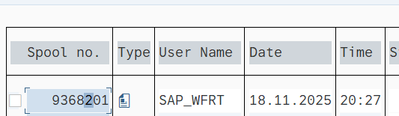
Navigate to tab "TemSe object" and double-click on spool object name

This will open the list of objects inside the spool request. Mark one object and click on button Contents to inspect the content itself

Have a close look at the second row. You'll find the name of the form, in this example, the name was ZMEDRUCK_US

Similar works also for SmartForms.
As we now know how to identify the form used to create a spool object, we can develop some artifacts to fetch them automatically.
Solution
CDS View
First of all, a CDS view is used to read the spool files and their content. This will be the basis for further processing.
@AbapCatalog.viewEnhancementCategory: [#NONE]
@AccessControl.authorizationCheck: #NOT_REQUIRED
@EndUserText.label: 'List of actively used SAPScript forms'
@Metadata.ignorePropagatedAnnotations: true
@ObjectModel.usageType:{
    serviceQuality: #X,
    sizeCategory: #S,
    dataClass: #MIXED
}
define root view entity ZI_cclm_upl_sapscript
  as select from tst01 as spool
    join         tst03 as data on  spool.dname = data.dname
                               and spool.dpart = data.dpart
{
key spool.dname as SpoolName,
                             key spool.dpart as SpoolPart,
                             key data.drowno as SpoolNo,
                             spool.dtype as SpoolType,
                             spool.dlang as Language,
                             cast( substring( spool.dcretime, 1, 8) as abap.dats ) as CreatedAt,
                             spool.dmodtool as Report,
                             spool.dcreater as CreatedBy,

                             data.ddatalen as DataLength,
                             data.dcontent as Content

  }
where
      spool.dtype like 'OTF%'
and data.drowno = 1Class
The following class is used to read and process the data. It provides methods to read spool usage per day as well as methods to extract form name based on spool content.
We run this code on a daily basis and store the results in a custom table. As this might be different to your requirement, I only provide a method stub for this. You might want to add whatever code you like to store the result.
"! <p class="shorttext synchronized" lang="de">Class to extract usage of SAPScript forms</p>
"! This class is part of BOMAGs clean core strategy. It helps to collect all actively used
"! SAPScript forms. With this class, the results can be stored in table ZSSTAT
CLASS zbc_cclm_upl_sapscript DEFINITION
  PUBLIC FINAL
  CREATE PUBLIC.

  PUBLIC SECTION.
    TYPES:
      "! data type for usage statistic
      BEGIN OF
        ty_usage,

        sapscriptform TYPE swncentryid,
        report        TYPE progname,
        lastcreatedat TYPE date,
        lastcreatedby TYPE syuname,
        totalusage    TYPE int4,
      END OF ty_usage.

    "! Table type for usage statistics aggregated by user, date and SAPScript form
    TYPES tyt_usage TYPE STANDARD TABLE OF ty_usage WITH KEY sapscriptform.

    "! <p class="shorttext synchronized" lang="de">get SAPscript usage by date</p>
    "! This method reads all existing TemSe objects to collect all used SAPScript
    "! forms during the diven time period.
    "! This method can't be used to query historical data stored in ZSSTAT. Instead
    "! it can be used to read actual data
    "! @parameter usage_from | <p class="shorttext synchronized" lang="de">spool created from date</p>
    "! @parameter usage_to   | <p class="shorttext synchronized" lang="de">spool created to date</p>
    "! @parameter usage      | <p class="shorttext synchronized" lang="de">table containing aggregated data</p>
    METHODS get_actual_usage_by_date IMPORTING usage_from   TYPE sydate
                                               usage_to     TYPE sydate
                                     RETURNING VALUE(usage) TYPE tyt_usage.

    "! <p class="shorttext synchronized" lang="de">Persist usage statistics to database</p>
    "! This method can be used to store usage statistics to database. It stores actual usage statistics to
    "! table ZSSTAT. If record already exists, it gets aggregated (update), otehrwise it creates new records
    "! @parameter usage_list | <p class="shorttext synchronized" lang="de">List with actual usage data to store</p>
    METHODS write_usage_to_db IMPORTING usage_list TYPE tyt_usage.

  PRIVATE SECTION.
    TYPES:
      "! data type for single spool entry, no aggregated data
      BEGIN OF ty_non_aggregated_usage,
        spool         TYPE zi_cclm_upl_sapscript,
        sapscriptform TYPE tdname,
      END OF ty_non_aggregated_usage.

    "! Table type for spool entries, no aggregation
    TYPES tyt_non_aggreageted_usage TYPE STANDARD TABLE OF ty_non_aggregated_usage.

    "! <p class="shorttext synchronized" lang="de">Get SAPScript form name by content</p>
    "! This method can be used to determine SAPScript form name based on spool content
    "! (content of TemSe object)
    "! @parameter content   | <p class="shorttext synchronized" lang="de">content of TemSe object</p>
    "! @parameter form_name | <p class="shorttext synchronized" lang="de">Name of SAPScript form</p>
    METHODS get_sapscript_name IMPORTING content          TYPE string
                               RETURNING VALUE(form_name) TYPE tdform.

    "! <p class="shorttext synchronized" lang="de">Aggregate usage statistic</p>
    "! This method aggregates (sum) actual usage data to one row for each date, user and SAPScript
    "! @parameter spool | <p class="shorttext synchronized" lang="de">list of non aggregated usage data</p>
    "! @parameter usage | <p class="shorttext synchronized" lang="de">aggregated usage data</p>
    METHODS aggregate_usage IMPORTING !spool       TYPE tyt_non_aggreageted_usage
                            RETURNING VALUE(usage) TYPE tyt_usage.

ENDCLASS.


CLASS zbc_cclm_upl_sapscript IMPLEMENTATION.
  METHOD get_actual_usage_by_date.
    DATA spool TYPE tyt_non_aggreageted_usage.

    SELECT * FROM zi_cclm_upl_sapscript
      WHERE createdat BETWEEN @usage_from AND @usage_to
      INTO TABLE (sapscript_list).

    LOOP AT sapscript_list ASSIGNING FIELD-SYMBOL(<single_form>).

      IF <single_form>-datalength <= 0.
        CONTINUE.
      ENDIF.

      DATA(encoded_content) = ||.

      " prepare conversion RAW to STRING
      DATA(encoded_object) = cl_abap_conv_in_ce=>create( encoding = '4103'
                                                         input    = <single_form>-content ).

      " convert RAW to string
      encoded_object->read( IMPORTING data = encoded_content ).

      DATA(formname) = get_sapscript_name( substring( val = encoded_content
                                                      len = 1000 ) ).

      spool = VALUE #( BASE spool
                       ( spool         = <single_form>
                         sapscriptform = formname )  ).

      CLEAR formname.
    ENDLOOP.

    usage = aggregate_usage( spool  ).
  ENDMETHOD.

  METHOD get_sapscript_name.
    " SAPScript
    FIND 'IN01' IN content MATCH OFFSET DATA(pos).
    IF pos > 0.
    ELSE.
      " SmartForm
      FIND 'IN04' IN content MATCH OFFSET pos.
    ENDIF.

    IF pos > 0.
      pos += 5.
      form_name = substring( val = content
                             off = pos
                             len = 16 ).
    ENDIF.
  ENDMETHOD.

  METHOD aggregate_usage.
    LOOP AT spool ASSIGNING FIELD-SYMBOL(<spool>).

      " try to get last usage of a given form, user and date
      ASSIGN usage[ sapscriptform = <spool>-sapscriptform
                    lastcreatedby = <spool>-spool-createdby
                    lastcreatedat = <spool>-spool-createdat ] TO FIELD-SYMBOL(<usage>).

      " record already found, aggregate
      IF sy-subrc = 0 AND <usage> IS ASSIGNED.
        <usage>-totalusage += 1.
        <usage>-report      = <spool>-spool-report.
      ELSE.
        " new record, add to list
        usage = VALUE #( BASE usage
                         ( sapscriptform = <spool>-sapscriptform
                           report        = <spool>-spool-report
                           lastcreatedat = <spool>-spool-createdat
                           lastcreatedby = <spool>-spool-createdby
                           totalusage    = 1 ) ).
      ENDIF.

      UNASSIGN <usage>.
    ENDLOOP.
  ENDMETHOD.

  METHOD write_usage_to_db.
    " 1. read all existing records from ZSSTAT to update these
    IF lines( usage_list ) > 0.
      SELECT * FROM zsstat
        FOR ALL ENTRIES IN @usage_list
        WHERE sysid    = -sysid
          AND zdate    = @usage_list-lastcreatedat
          AND account  = @usage_list-lastcreatedby
          AND entry_id = @usage_list-sapscriptform
          AND tcode    = 'SAPSCRIPT'
        INTO TABLE (usage_statistics).
    ENDIF.

    " 2 .loop through newly aggregated usage statistics
    LOOP AT usage_list ASSIGNING FIELD-SYMBOL(<new_usage_record>).

      ASSIGN usage_statistics[ sysid    = sy-sysid
                               entry_id = <new_usage_record>-sapscriptform
                               account  = <new_usage_record>-lastcreatedby
                               zdate    = <new_usage_record>-lastcreatedat ] TO FIELD-SYMBOL(<usage>).

      " 2.1 update existing record in database
      IF sy-subrc = 0 AND <usage> IS ASSIGNED.
        <usage>-zcount += <new_usage_record>-totalusage.
        UPDATE zsstat
        SET zcount = <usage>-zcount
            progname = <new_usage_record>-report
        WHERE sysid    = sy-sysid
          AND zdate    = <usage>-zdate
          AND account  = <usage>-account
          AND entry_id = <usage>-entry_id
          AND tcode    = 'SAPSCRIPT'.
      ELSE.

        " 2.2. insert new record to database
        INSERT INTO zsstat VALUES @( VALUE #(
                                        sysid = sy-sysid
                                        zdate = <new_usage_record>-lastcreatedat
                                        account = <new_usage_record>-lastcreatedby
                                        entry_id = <new_usage_record>-sapscriptform
                                        tcode = 'SAPSCRIPT'
                                        zcount = <new_usage_record>-totalusage
                                        progname = <new_usage_record>-report ) ).

      ENDIF.
      IF sy-subrc = 0.
        COMMIT WORK.
      ENDIF.

      UNASSIGN <usage>.
    ENDLOOP.
  ENDMETHOD.
ENDCLASS.Report
We want to create a usage statistics. This means we need to read data for a certain period on a regular basis (like once per day). As we're on-premise, we need to schedule a job and therefore, we need a small report which uses the class above.
  REPORT zbc_cclm_upl_sapscript_aggr.

PARAMETERS:
  pm_from TYPE dats,
  pm_to   TYPE dats.

START-OF-SELECTION.
  DATA(upl) = NEW zbc_cclm_upl_sapscript( ).

  DATA(usage) = upl->get_actual_usage_by_date( usage_from = pm_from
                                               usage_to   = pm_to ).
  upl->write_usage_to_db( usage_list = usage ).

  LOOP AT usage ASSIGNING FIELD-SYMBOL(<usage>).

    WRITE: / <usage>-lastcreatedat,
    <usage>-lastcreatedby,
    <usage>-sapscriptform,
    <usage>-report,
    <usage>-totalusage.
ENDLOOP.Conclusion
Thanks to these small development artifacts, we build a reliable usage statistics for SAPScript and SmartForms. After collecting data for almost 12 months, we now know the forms actively used.